Device Connection Log
The Device Connection Log Block displays a list of devices logs their connection / disconnection events.
Configuration
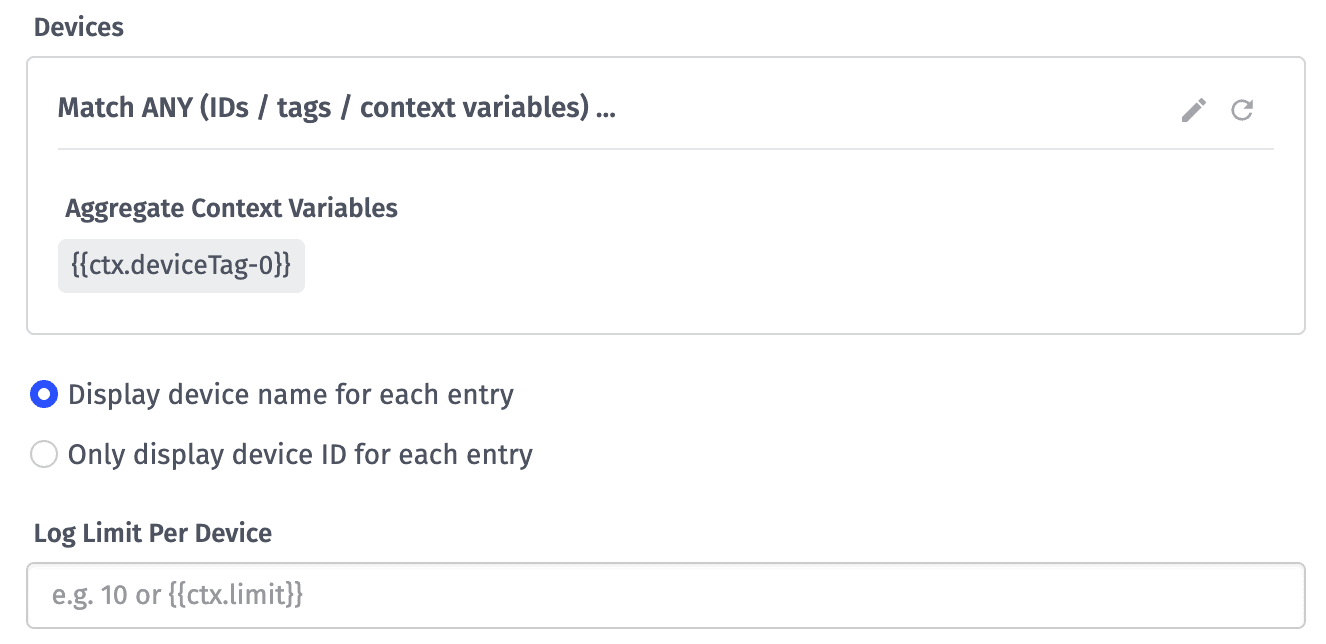
Devices
The block takes a device query to determine which devices to display within the log. If any of the following conditions apply to the query ...
- More than one device ID is selected
- One or more device tags is selected
- An experience user context variable or a device tag context variable is selected
- An advanced query is used
... then you will also have the option of displaying either the device name or the device ID for each entry in the connection log.
Log Limit Per Device
Finally, provide a maximum number of connection logs to return per device. The max per device is 100. The default is 10. This field is templatable.
Result
For each device matching the query, the block will return the most recent connection log entries per device following the Log Limit Per Device configuration, relative to the dashboard's end time.
If a device matching the query does not have any connection log activity - whether it has never connected to the broker or it is a device class that cannot connect - then the device will not appear in the table.
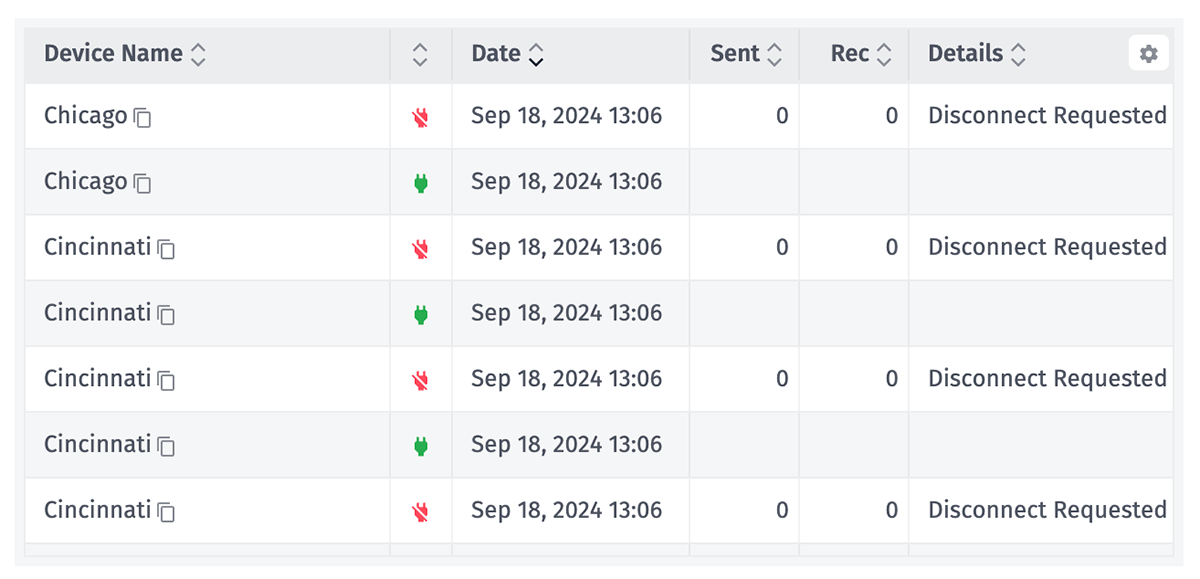
For each entry, the table displays ...
- The device name/ID (if applicable).
- Whether this was a connection or disconnection event.
- The time of the event.
For disconnection events, the table also displays ...
- The number of messages sent to the Losant MQTT broker between the last connection event and this disconnection event.
- The number of messages received by the device from the MQTT broker in that time period.
- The reason for the disconnection.
Events displayed in the block reflect actual connections to the broker as well as connection statuses manually set on the device.
Was this page helpful?
Still looking for help? You can also search the Losant Forums or submit your question there.