File Watch Trigger
The File Watch Trigger will trigger a workflow whenever the Edge Compute device sees file or directory changes on the configured path.
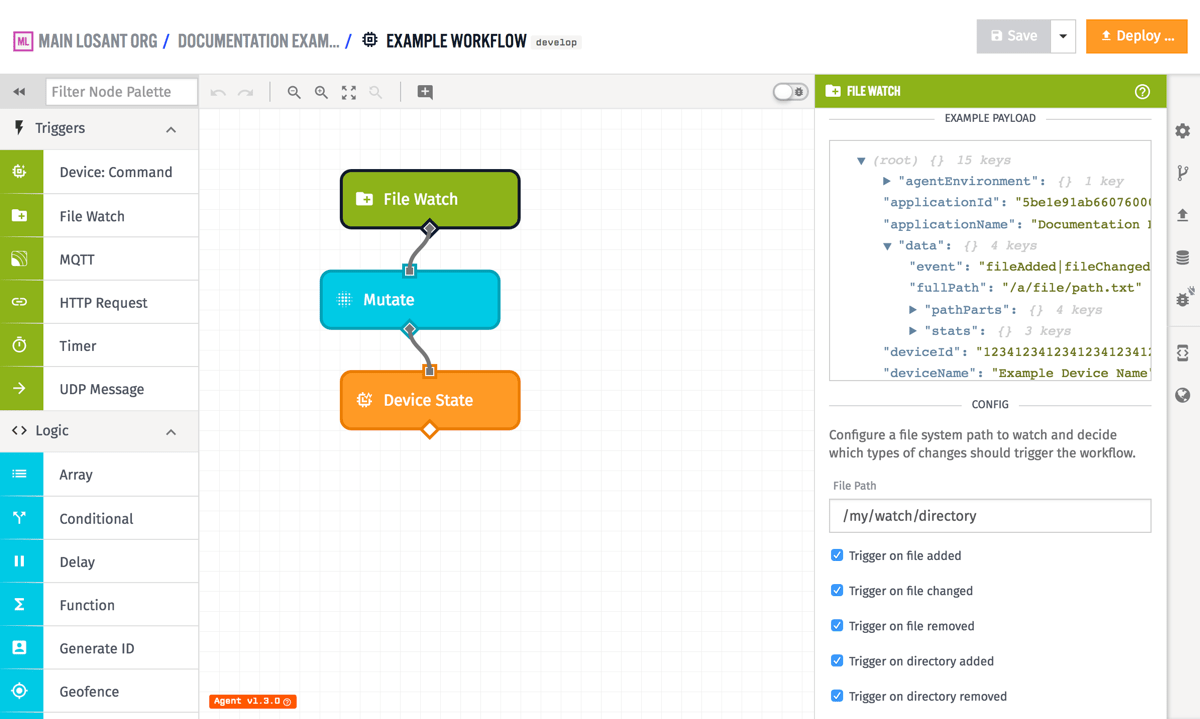
Node Properties
There are two configurable criteria for a File Watch Trigger...
- File Path: (Required) The file system path to watch within the agent's Docker container. Usually this path is mounted into the container from the host system.
- To watch all files under a directory and its subdirectories, enter a path for that directory. For example:
/path/to/watch/. - To watch a specific file, enter the full path to that file, including the file extension. For example:
/path/to/watch/file.txt. - To watch all files with a specific extension under a directory or its subdirectories, you can use a [glob pattern](https://en.wikipedia.org/wiki/Glob_(programming). For example, to watch all
.txtfiles in a directory and its subdirectories, you can use/path/to/watch/**/*.txt.
- To watch all files under a directory and its subdirectories, enter a path for that directory. For example:
- Trigger on...: (Required) The types of watch events to trigger on. You can choose to trigger on any combination of adding files, changing files, removing files, adding directories, or removing directories.
Payload
The payload will include the following under the data object ...
event: The type of event that triggered the workflow. This will be one of the following:fileAddedfileChangedfileRemoveddirectoryAddeddirectoryRemoved
fullPath: The full path of the file or directory that changed.pathParts: An object containing the parts of the path:dir: The directory portion of the path.base: The base name of the file or directory.ext: The file extension, if applicable.name: The name of the file or directory without the extension.
stats: An object containing statistics about the file or directory. On deletion events, this will be an empty object. Properties include:createdAt: A Date object representing when the file or directory was created.modifiedAt: A Date object representing when the file or directory was last modified.size: The size of the file in bytes.
The stats about the file or directory are only available for creation or modification, not deletion.
Given a change to a file at the path /a/file/path.txt, a File Watch workflow payload will look like the following:
- ▶{} 17 keys
- ▶{} 1 key
- "1.31.0"
- "555555555555eeeeeeeeeeee"
- "My Great Application"
- ▶{} 4 keys
- "fileChanged"
- "/a/file/path.txt"
- ▶{} 4 keys
- ▶{} 3 keys
- ▶{} 8 keys
- "222222222222bbbbbbbbbbbb"
- "My Great Device"
- ▶{} 2 keys
- "333333333333cccccccccccc"
- "My Great Workflow"
- "myFlowVersion"
- ▶{} 3 keys
- true
- Thu Oct 01 2026 18:07:39 GMT+0000 (Coordinated Universal Time) (Date object)
- "<unique trigger ID>"
- "fileWatch"
Related Nodes
Was this page helpful?
Still looking for help? You can also search the Losant Forums or submit your question there.