Certificate: Create Node
The Certificate: Create Node signs a Certificate Signing Request with the requester's public key and identity information using the provided CA key and certificate and issues a new certificate.
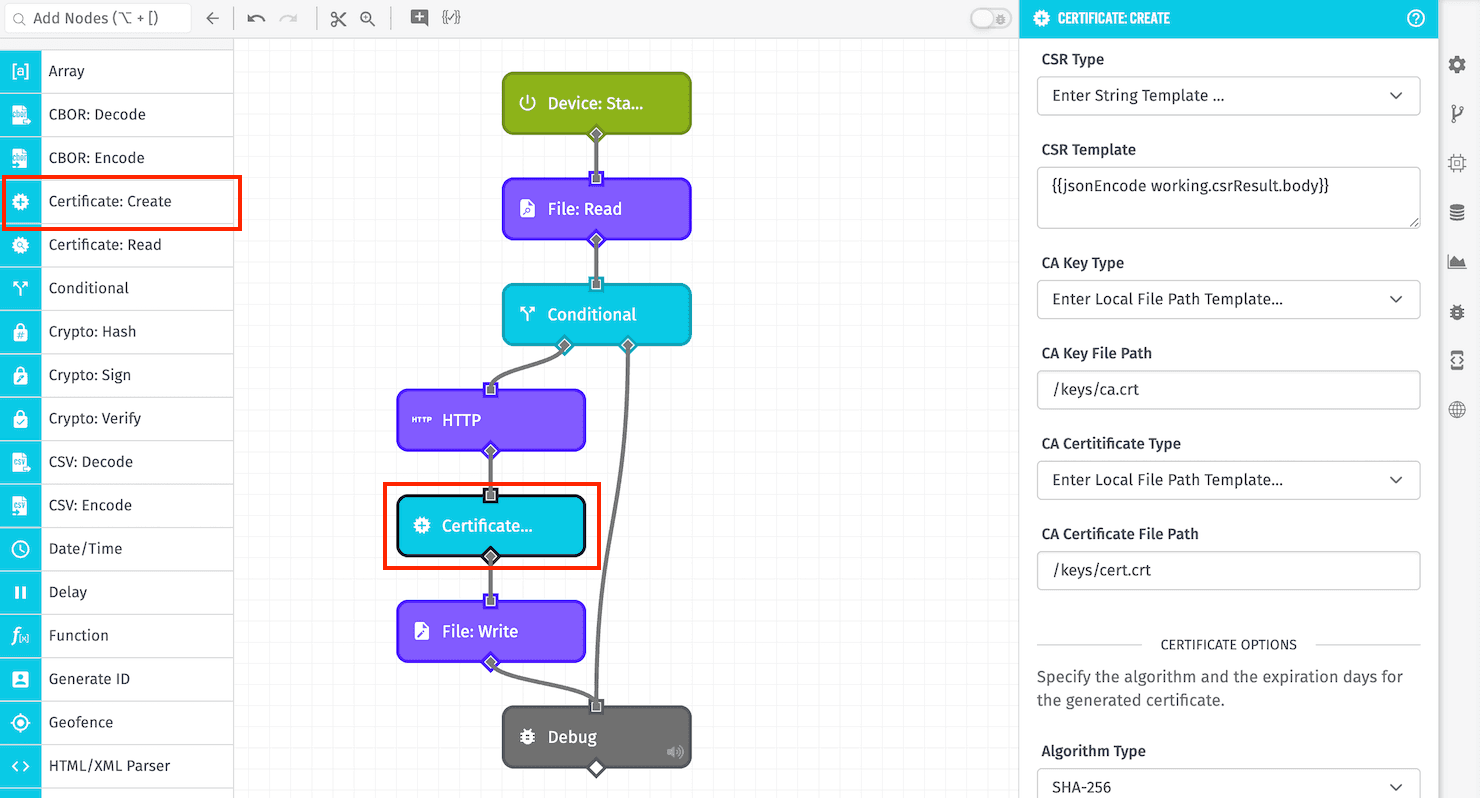
Node Properties
The Certificate: Create Node's configuration is broken up into the following sections ...
Configuration
First, choose how to provide the Certificate Signing Request (CSR) for the new certificate. Options are:
- Enter Local File Path Template: In Edge Workflows only, you may provide a file path to where the CSR is stored in a volume mounted within the agent's container.
- Enter String Template: If selected, provide a string template resolving to the PEM encoded CSR on the payload.
- Enter Payload Path: If selected, provide a payload path pointing to the PEM encoded CSR on the workflow payload.
Providing the Certificate Authority (CA) and Private Key for signing the new certificate varies depending on the type of workflow where the Certificate: Create Node is being used.
Application & Experience Workflows
In Application Workflows and Experience Workflows, you must provide a Credential Name Template that resolves to one of your application's Certificate / Key Pair Service Credentials to sign the new certificate.
Edge Workflows
In Edge Workflows, the CA Key and Certificate Authority are each provided by first choosing an input type:
- Enter Local File Path Template: If selected, provide a file path to where the CA Key or Certificate Authority is stored in a volume mounted within the agent's container.
- Enter String Template: If selected, provide a string template resolving to the value.
- Enter Payload Path: If selected, provide a payload path pointing to the value on the workflow payload.
Certificate Options
Next, provide the following options for the new certificate:
- Algorithm Type: Choose the algorithm that is used to generate the certificate. Default is
SHA-256. - Certificate Expires In (Days): Define the length of time the certificate is valid for, starting from the moment of generation. Default is
365days.
Result Path
Finally, enter a Result Path, which is a payload path for where to place the new certificate on the payload. If successful, the result will be an object with a certificate property and an info property with details about the certificate. If the node fails, the value placed at the path will be an error object with a message property giving a reason for the failure.
Node Example
When provided with a valid CSR, CA Key, and CA Certificate, the Certificate: Create Node would place an object resembling the following on the payload at the Result Path:
{
  "certificate": "-----BEGIN CERTIFICATE-----\nMIIC/DCCAqKgAwIBA...qaqccRrWky1qs0HQUHN\n-----END CERTIFICATE-----",
  "publicKey": "-----BEGIN PUBLIC KEY-----\nMIIBIjANB...DAQAB\n-----END PUBLIC KEY-----",
  "info": {
    "serial": "4d:53:18:26:49:75:33:21:32:e6:cd:44:19:f2:8e:8e:c0:ff:3b:e4",
    "country": "AU",
    "state": "Some-State",
    "locality": "",
    "organization": "Internet Widgits Pty Ltd",
    "organizationUnit": "",
    "commonName": "",
    "emailAddress": "foo@example.com",
    "notValidBefore": "2026-04-03T18:47:09.000Z",
    "notValidAfter": "2028-12-27T18:47:09.000Z",
    "issuerName": "Example Issuer",
    "fingerprint": "35:B5:34:80:19:C4:5A:9F:13:F6:93:19:F4:C2:C6:DA:BD:B1:6E:76"
  }
}
Node Errors
A common error is if the provided CA Key does not match the provided CA Certificate. In that case, the following will be placed on the payload at the Result Path:
{
  "error": {
    "message": "CA Key and Certificate do not match."
  }
}
Related Nodes
Was this page helpful?
Still looking for help? You can also search the Losant Forums or submit your question there.