Timer Trigger
The Timer Trigger will fire a workflow on a scheduled interval.
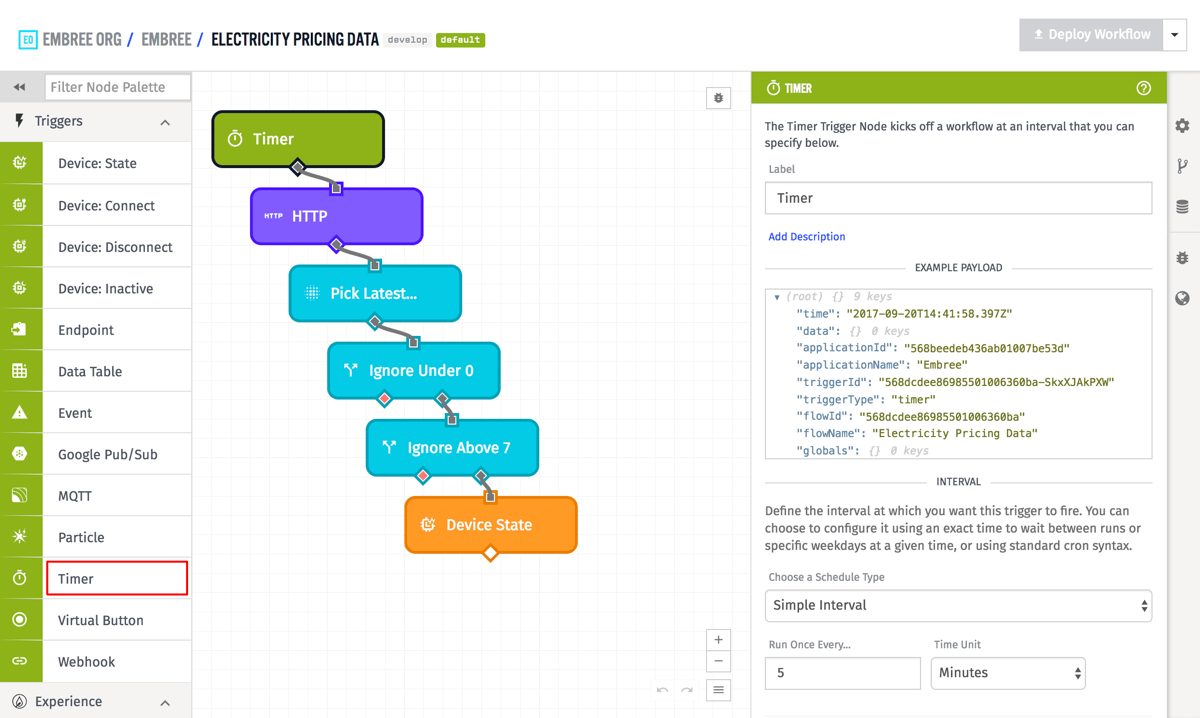
Node Properties
The Timer Trigger can be configured in three different ways:
Simple Interval
Configure the timer to fire after a repeating period of time. Choose an amount (a positive number) and a unit.
Application Workflows: The unit can be "Seconds", "Minutes", "Hours", or "Days". The interval can be any positive number that evaluates to at least 1 second and less than 1 year (fractional intervals are allowed).
Edge Workflows: The unit can be "Milliseconds", "Seconds", "Minutes", "Hours", or "Days". The interval can be any positive number that evaluates to at least 100 milliseconds and less than 1 year (fractional intervals are allowed).
For Gateway Edge Agent v1.12.0 and below, the interval can be any positive number that evaluates to at least 1 second and less than 1 year.
Embedded Workflows: The unit can be "Milliseconds", "Seconds", "Minutes", "Hours", or "Days". The interval can be any positive number that evaluates to at least 100 milliseconds and less than 1 year (fractional intervals are allowed).
Embedded Workflows only support simple intervals; it is not possible to define an embedded workflow's timer frequency using a simple schedule or advanced cron strings. Also, the behavior of the Timer Trigger can vary depending on how time is managed on your Embedded Device.
Simple Schedule
Configure the timer to fire based on a simple daily schedule. Select the days of the week, the time of day that the timer should fire, and the time zone of the given time of day.
Advanced
Configure the timer to fire using a valid cron string. The base cron spec is supported, and in addition the non-standard /, @yearly, @monthly, @weekly, @daily, and @hourly syntax is supported. The non-standard L, W, #, ?, @reboot, and @annually syntax is not supported.
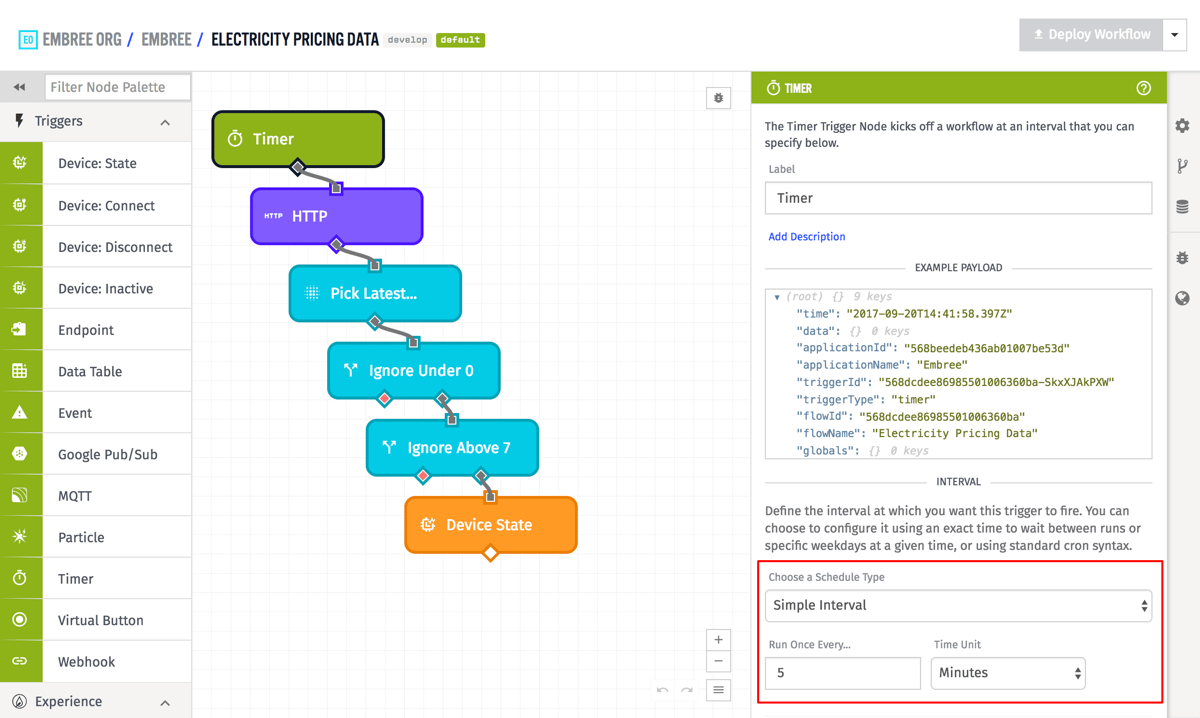
In the above example, the timer is configured using Simple Interval, and is set so that the timer will fire every 5 minutes.
Payload
Unlike most other triggers, there is no special data included in the payload for a Timer Trigger, so the data field is set to an empty object. The only data relevant to a Timer Trigger is the time at which the trigger fired, and that is just in the standard time field that every trigger payload has. In the general case, a timer workflow payload will look like the following:
- ▶{} 10 keys
- "555555555555eeeeeeeeeeee"
- "My Great Application"
- {} 0 keys
- "333333333333cccccccccccc"
- "My Great Workflow"
- "myFlowVersion"
- ▶{} 3 keys
- Thu Oct 01 2026 18:07:39 GMT+0000 (Coordinated Universal Time) (Date object)
- "<unique trigger ID>"
- "timer"
Was this page helpful?
Still looking for help? You can also search the Losant Forums or submit your question there.