WebSocket Trigger
The WebSocket Trigger fires a workflow whenever the selected WebSocket integration receives a message or connection event.
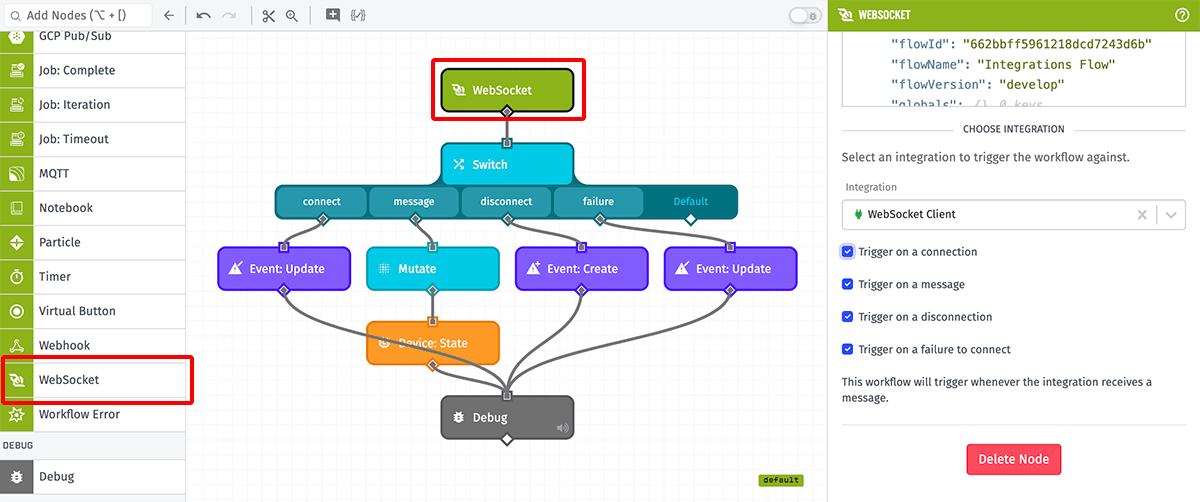
Node Properties
The WebSocket Trigger requires choosing a WebSocket integration, as well as at least one of the following events on which to fire the trigger:
- Trigger on a connection
- Trigger on a message (checked by default)
- Trigger on a disconnection
- Trigger on a failure to connect
Payload
The payload will include the received message in the data field. In the general case, a WebSocket Trigger workflow payload will look like the following:
- ▶{} 12 keys
- "555555555555eeeeeeeeeeee"
- "My Great Application"
- ▶{} 3 keys
- ▶{} 2 keys
- ▶{} 4 keys
- "connect|message|disconnect|failure"
- "333333333333cccccccccccc"
- "My Great Workflow"
- "myFlowVersion"
- ▶{} 3 keys
- "<ID of the integration>"
- "integration"
- Thu Oct 01 2026 18:07:39 GMT+0000 (Coordinated Universal Time) (Date object)
- "<ID of the integration>"
- "integration"
Note: The value in the data.message.data field will always be a string. If you are expecting structured data (objects or arrays) through a WebSocket integration, you must follow up the trigger with a JSON: Decode Node to convert the value at data.message.data to a structured format, and your workflow should be resilient to cases where the decoding of the data fails.
Differences from Webhook Trigger
The WebSocket Trigger should not be confused with the Webhook Trigger. The WebSocket Trigger only fires for messages received through a WebSocket integration, whereas the Webhook Trigger fires for messages received from clients connecting to a WebSocket-type Webhook.
Related Nodes
Was this page helpful?
Still looking for help? You can also search the Losant Forums or submit your question there.